Guide to getting the user ID, API key, and digital-human ID
Before obtaining these values, make sure you have registered a NuwaAI platform account and created a digital human.
1. Get the user ID (userid)
- Sign in to the NuwaAI platform.
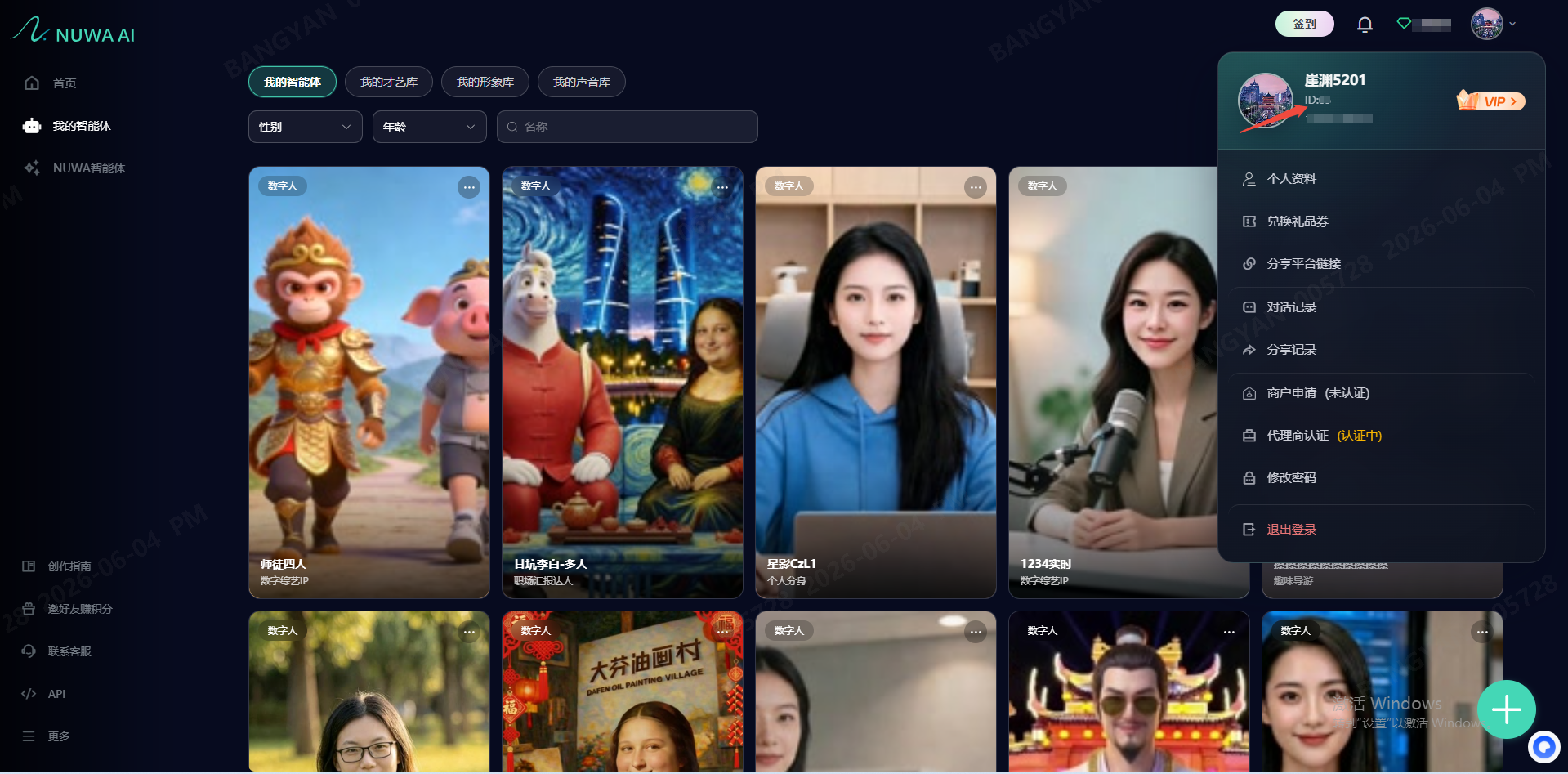
- Click the profile avatar in the upper-right corner.
- Click Copy in the pop-up menu. The copied value is your userid.
Tip:
userididentifies your account. Keep it safe.
2. Get the digital-human ID (avatarid)
- Sign in to the NuwaAI platform.
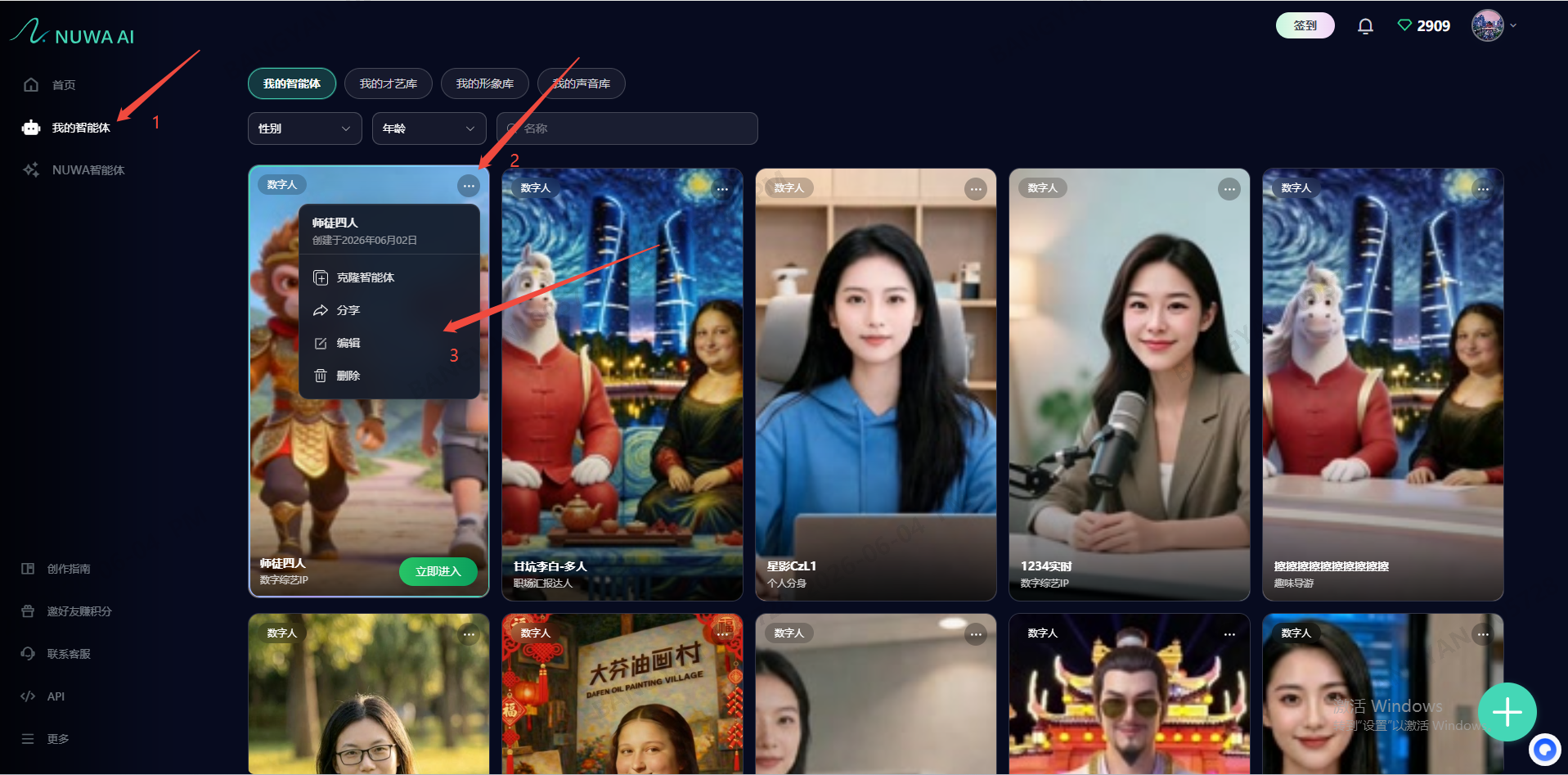
- In My Agents, select the digital human that you plan to integrate.
- Open that digital human and click Edit.
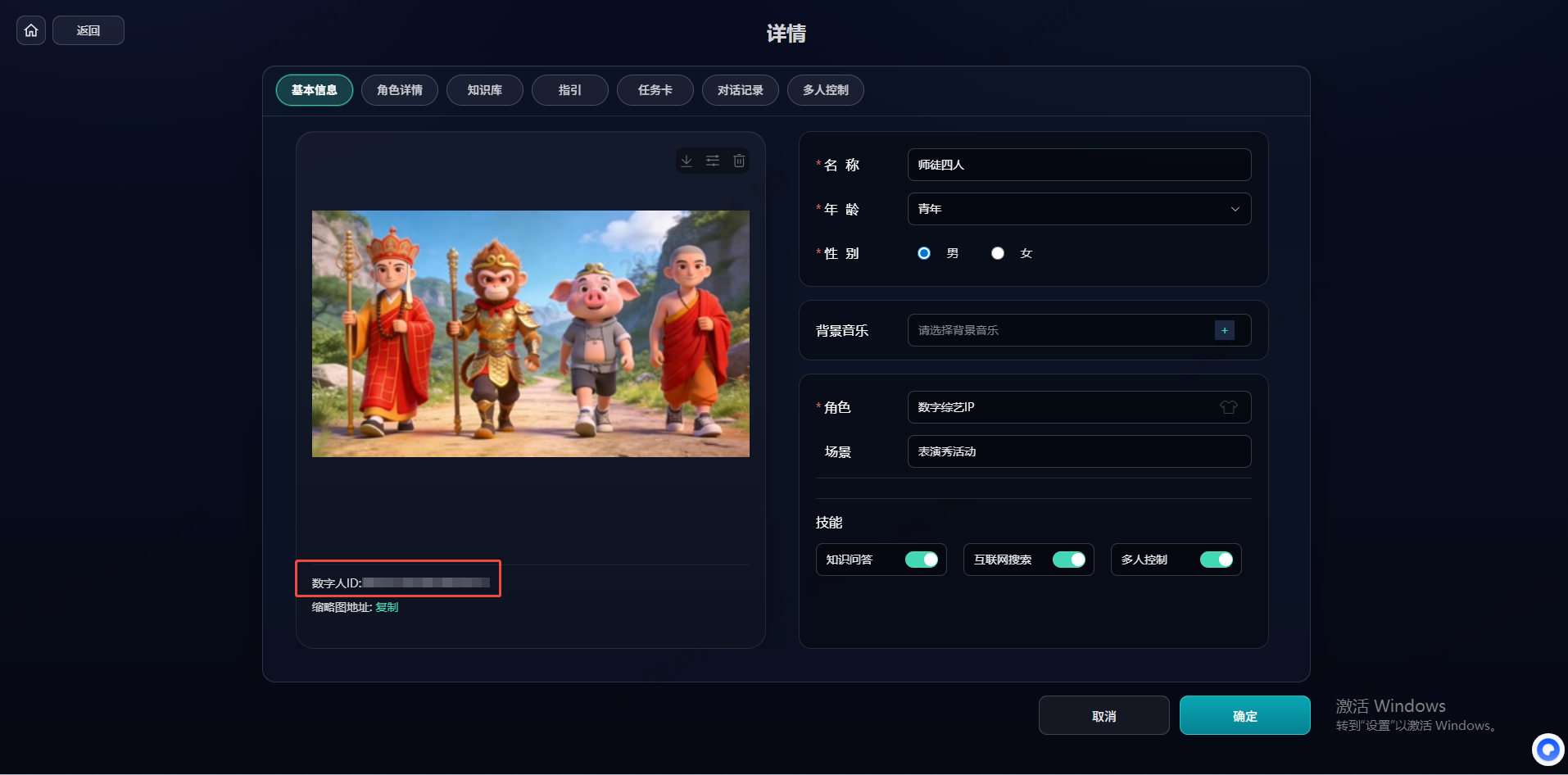
- Find and copy the digital-human ID on the details page. The copied value is the avatarid.
Tip:
avatarididentifies the digital human you operate. Keep it safe.
3. Request an API key
An API key is the core credential for calling NuwaAI APIs and generating an access token.
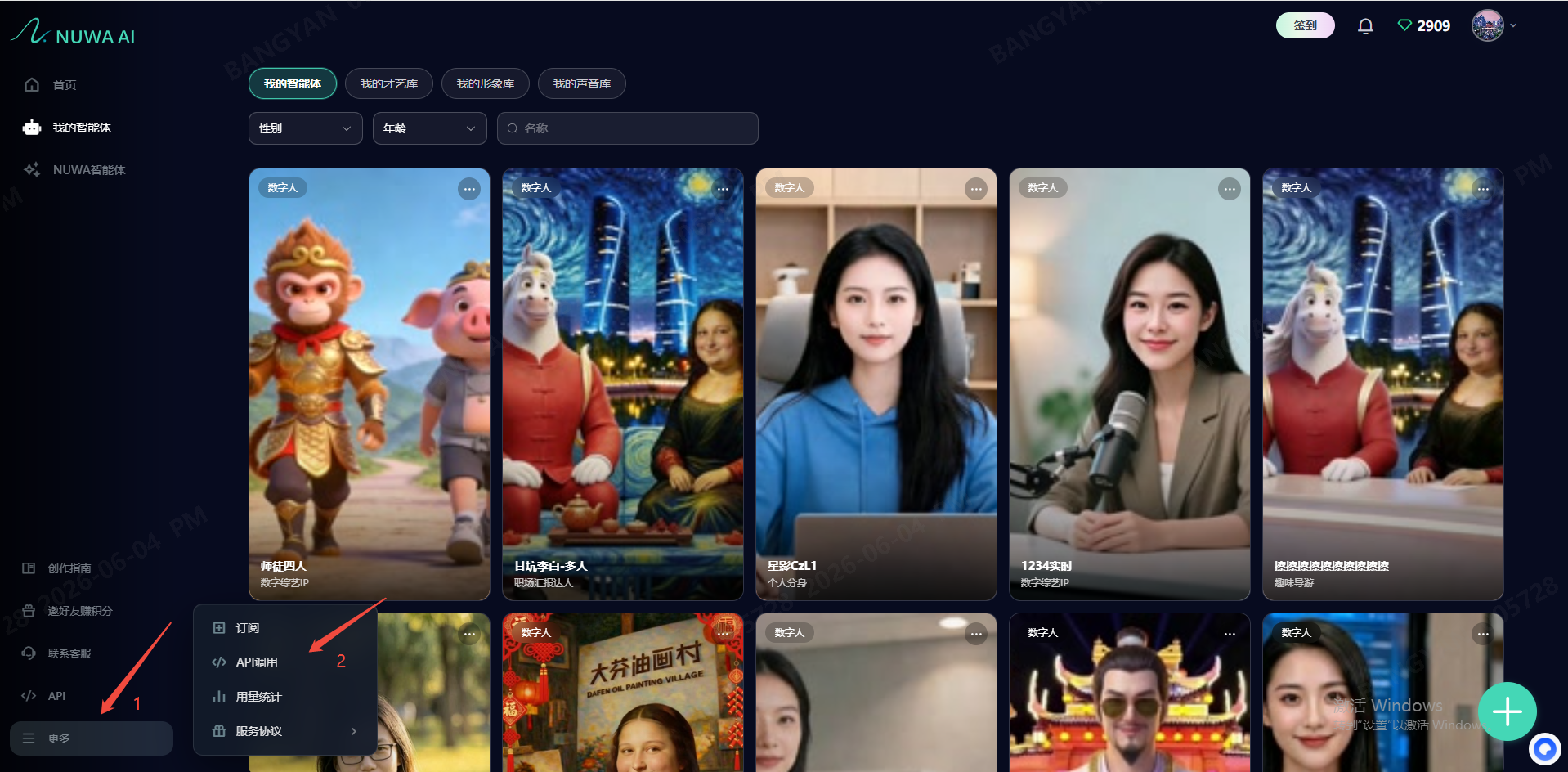
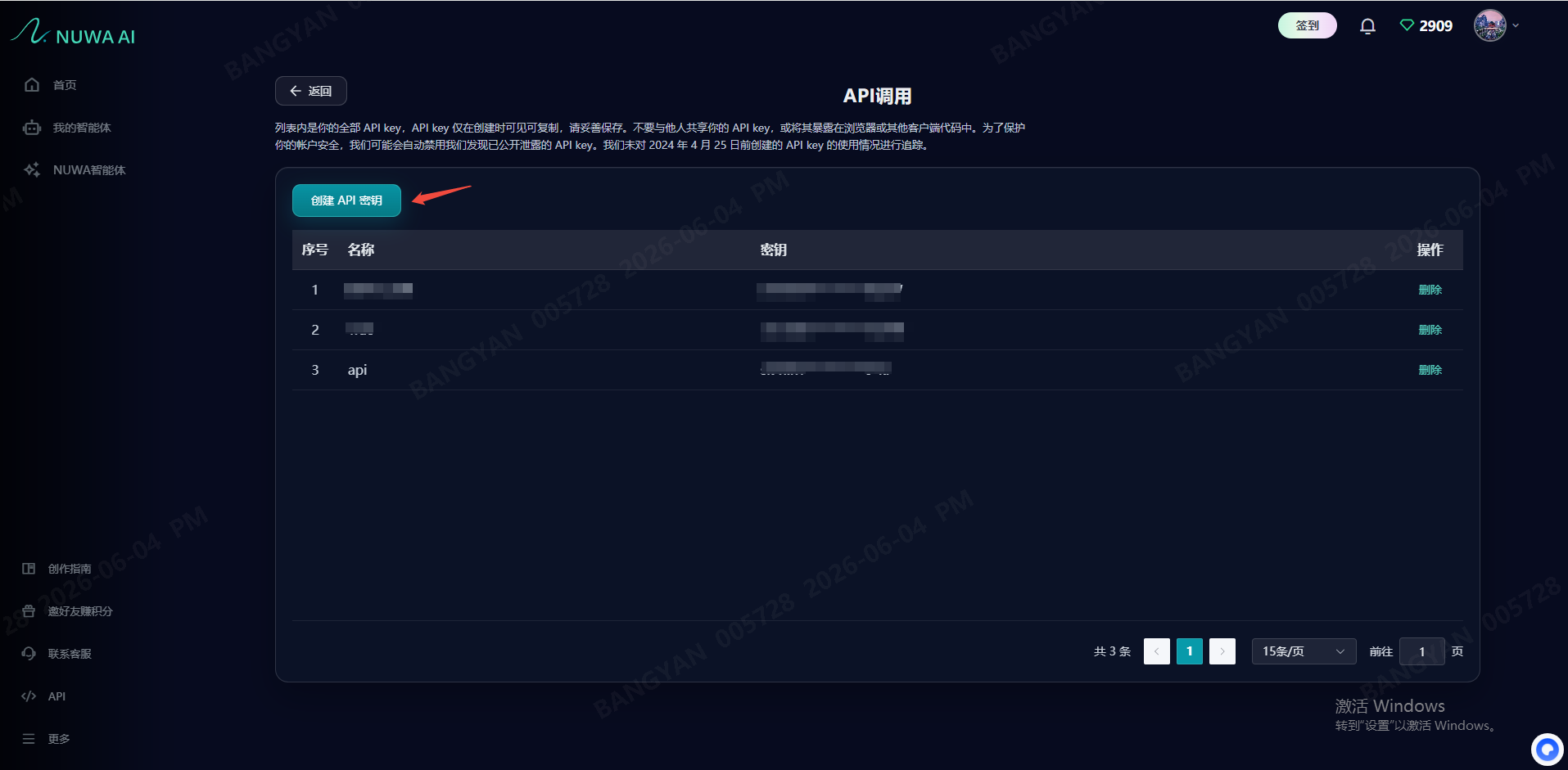
- Open API management: Sign in to the NuwaAI platform, click More in the left menu, and choose API calls.
- Create the key: Click Create API key.
- Enter details: Give the key a recognizable name (for example,
Production key) and click Create. - Save the key: The system displays an API password (the API key). Click Copy immediately and store it securely.
Important
- For security, the key is shown only once. Create a new key if it is lost.
- This key has global access permissions. Do not share it with others.